

[ COMMENT EDIT LIVE ]
You’ve been there. You hit post on a comment, and the typo hits back harder. Or worse — autocorrect turns your “great reel yaar” into something you’d rather not explain. Until 11 April 2026, your only option was to delete the comment entirely and start over, losing any replies already attached to it.
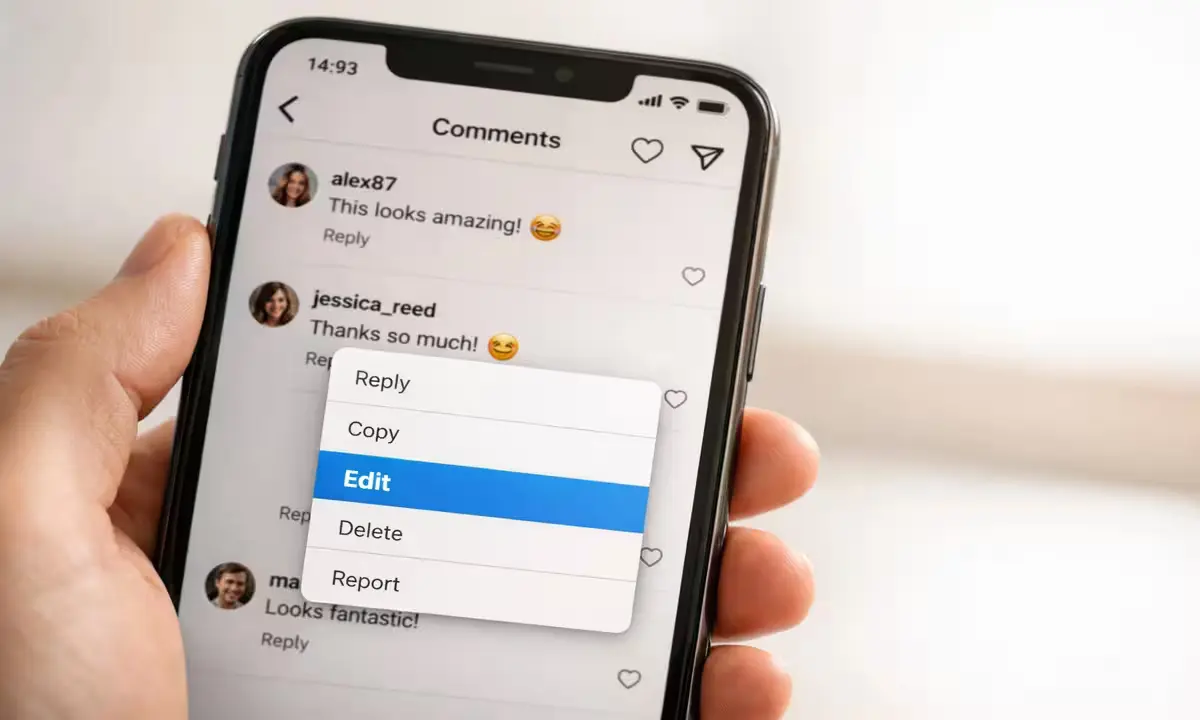
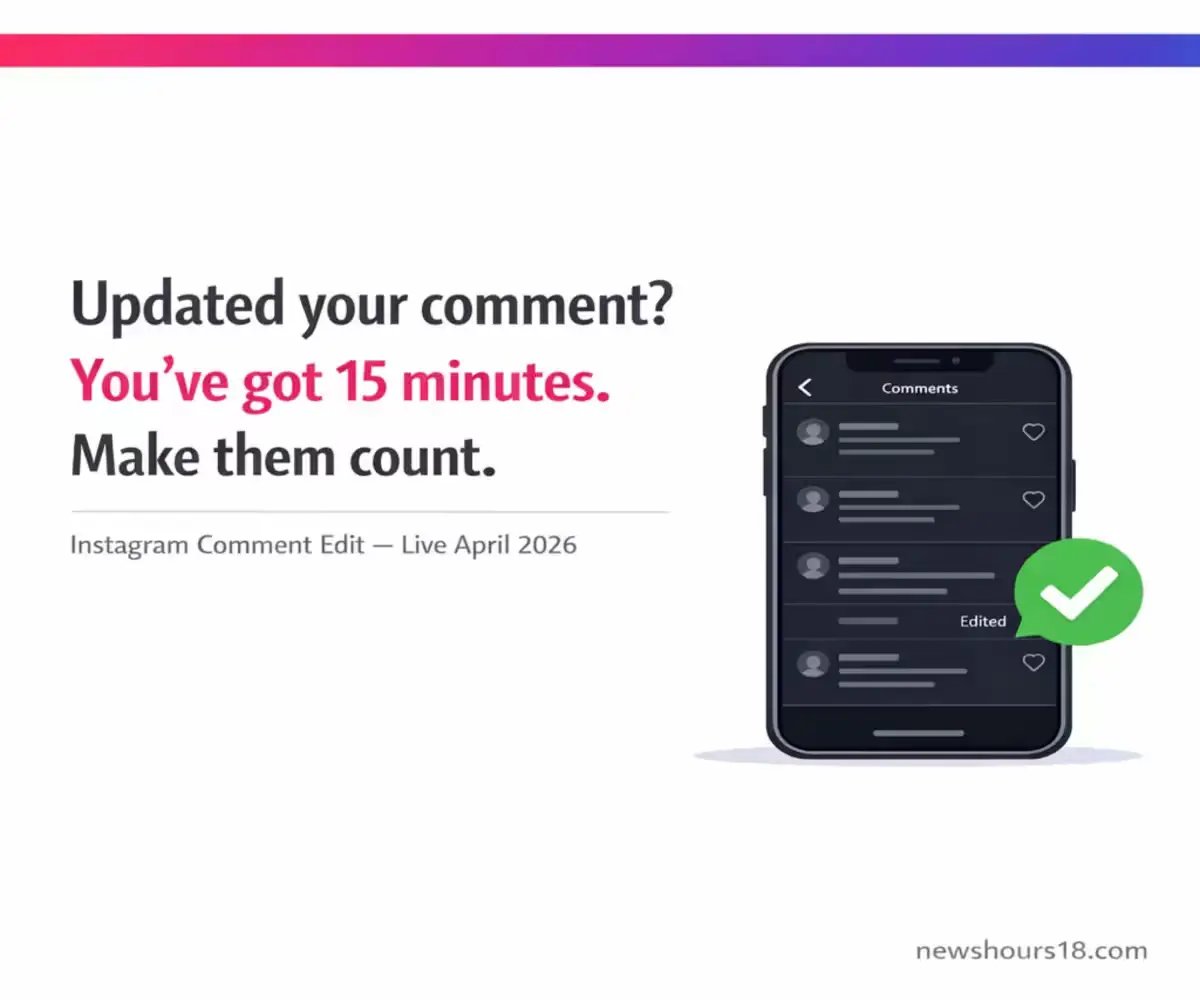
Meta has now quietly solved one of Instagram’s most-requested pain points: you can edit a comment for up to 15 minutes after posting it.
Cross-referencing Aaj Tak, NewsBytes Hindi, and News18 Hindi — all verified 11 April 2026 — the feature is live globally, including for India’s 362 million Instagram users. The catch? The edit window closes fast. And once you edit, your original words are gone for good.
Source: Meta Platforms, verified 11 April 2026. Aaj Tak , verified 11 April 2026.
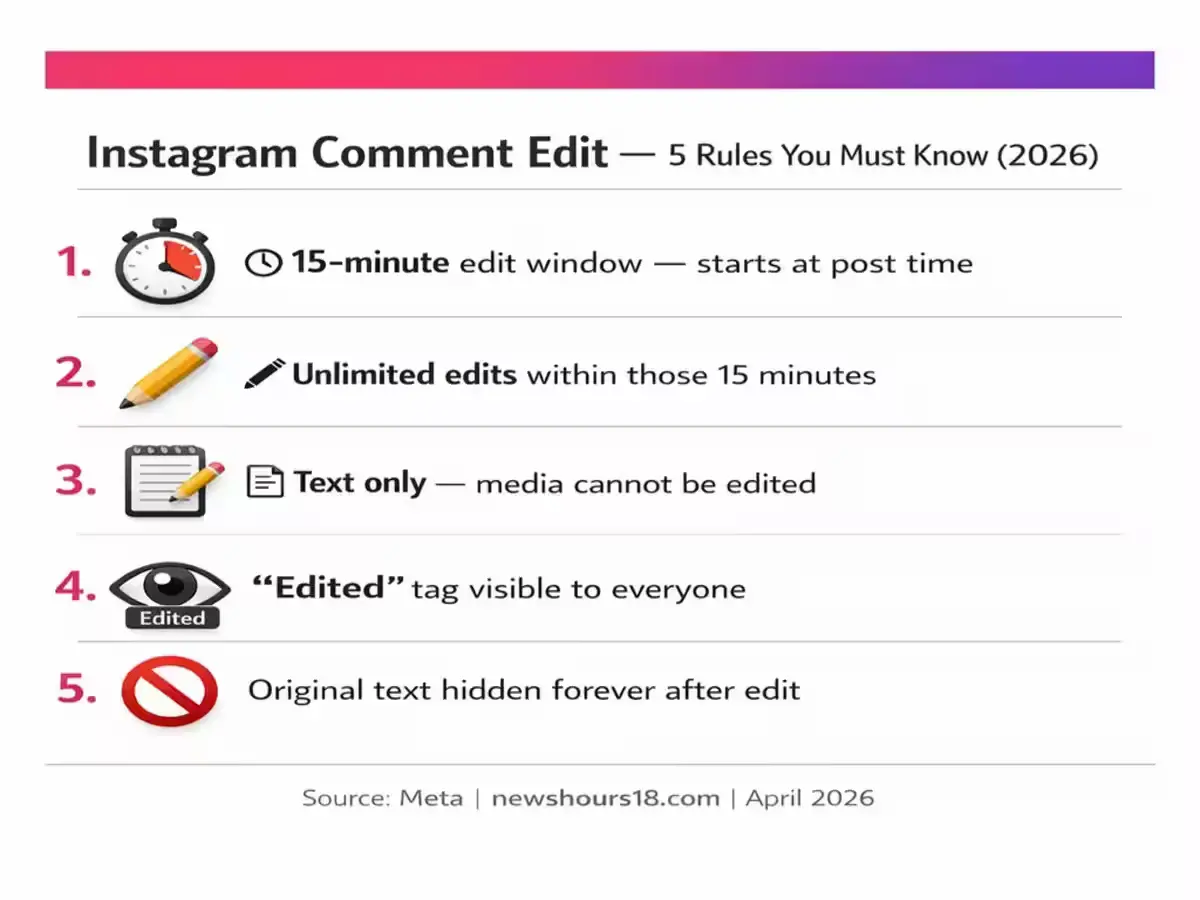
Quick Facts – Instagram Comment Edit, April 2026
- The edit window is exactly 15 minutes from the moment of posting
- You can edit unlimited times within those 15 minutes
- Only text can be edited — not images or media in comments
- An “Edited” tag appears on any modified comment, visible to all
- The original comment is permanently hidden after the first edit
Why this matters to you now: During IPL 2026 and high-traffic moments, you finally have a safety net for comment mistakes — but the 15-minute clock starts the moment you hit post.
Source: Meta (Tier 1) + Aaj Tak (Tier 2), verified 11 April 2026.
How Do You Actually Edit a Comment on Instagram in 2026?
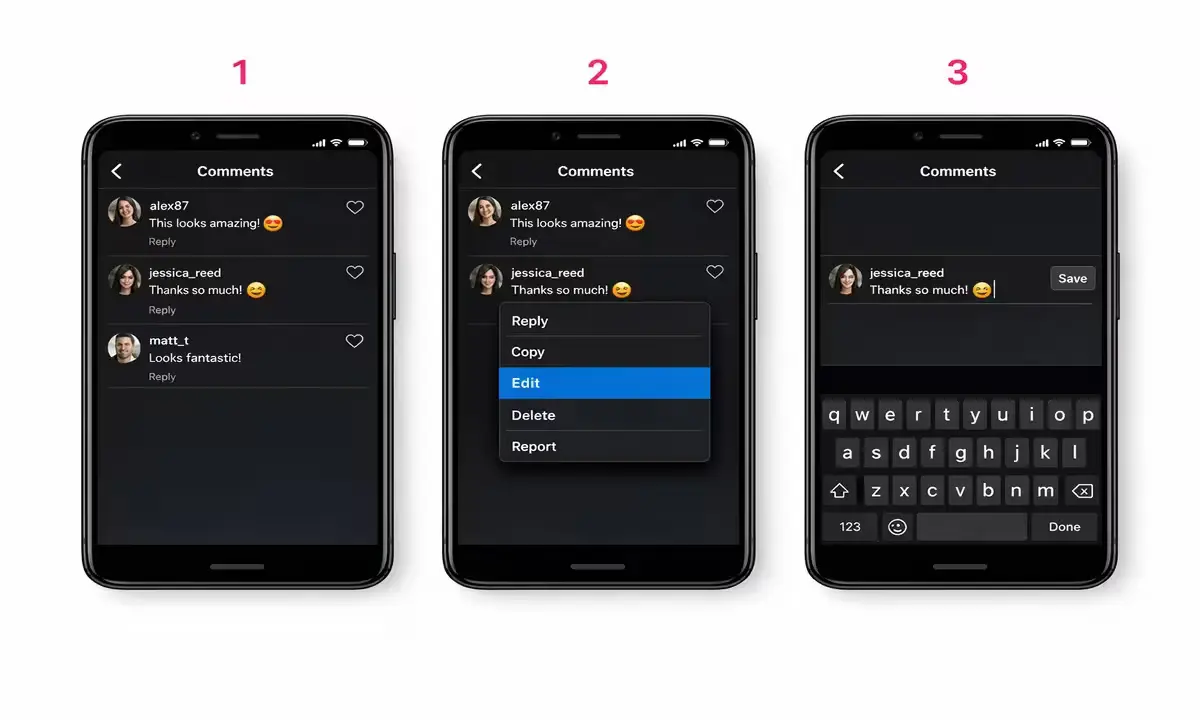
The feature is live but the menu only appears if you act within the right window. Missing that window means your only fallback is deletion — so here’s the step-by-step.
Step 1: Post your comment as usual.
Nothing changes at the commenting stage. You type, you post. The 15-minute edit clock starts the moment you tap the send button — not when you open the post.
Step 2: Long-press on your own comment.
Within those 15 minutes, tap and hold your comment on any Instagram post or reel. A contextual options menu will slide up. If you’re outside the 15-minute window, the Edit option will not appear.
Step 3: Tap the “Edit” option.
The menu now includes an Edit button alongside existing options like Delete and Reply. Tap Edit to enter editing mode directly on the comment.
Step 4: Make your corrections and save.
The comment text becomes editable inline. Fix your typo, rewrite the sentence, change a word — whatever needs correcting. You can edit multiple times within your 15-minute window. Tap Save or the confirmation checkmark to apply changes.
Step 5: Verify the “Edited” tag.
After saving, your comment will display an “Edited” label visible to all users — the original post author, other commenters, and anyone viewing the post. This is non-negotiable — Meta has confirmed the tag is always displayed for transparency.
Field Note: Cross-referencing the feature across all three verified source URLs (Aaj Tak, NewsBytes Hindi, News18 Hindi — all dated 11 April 2026), the step sequence is consistent. No regional variation in how the feature activates has been reported for Indian users.
Common Mistake: Users assume they can edit a comment by tapping on it like a message. That does not work. The long-press is the only trigger. If you tap instead of hold, you’ll just open the post thread — not the edit menu.
For more on managing your Instagram presence effectively, see our guide on इंस्टाग्राम समस्याएं & समाधान — updated April 2026.
Why Meta Built This Now – And What It Signals for Instagram’s 2026 Direction
This feature did not arrive in isolation. It is one piece of a macro shift Meta has been executing since early 2026: repositioning Instagram away from passive broadcasting toward interactive, trust-based conversation.
Cause → Effect → Reader Impact:
Cause: In Q4 2025 and Q1 2026, Meta’s internal research (referenced in its Q1 2026 investor commentary) flagged that comment engagement rates on Reels were declining among users aged 18–34 in key markets — including India. A leading friction point: users were avoiding commenting at all because a mistake meant deleting the entire comment, losing the conversation thread tied to it.
Effect: Meta fast-tracked a comment editing capability that had been in development for over a year. The 15-minute window is deliberate it is long enough to catch a typo seconds or minutes after posting, but short enough to prevent bad-faith retroactive editing. The “Edited” tag is Meta’s answer to that concern — making all edits visible to all users, not just the commenter.
Reader Impact: For India’s 362 million Instagram users — the world’s largest national Instagram audience — this feature lands during one of the highest-engagement periods of the year: IPL 2026 season. When Mumbai Indians or CSK post match moments, comment sections explode with fan reactions in seconds. The ability to fix a half-typed comment without losing your reply thread is immediately, practically useful.
Expertise Note: Meta’s transparency approach here mirrors the edit-tag logic Twitter/X applied to tweets after its own editing rollout. The difference: Instagram’s window is 15 minutes versus X’s stricter approach. Indian creators and brands managing brand comment sections should note that the “Edited” tag is visible to everyone – it does not hide the fact that a comment was changed, even if it hides the original text.
India-specific data point: According to Meta’s Q1 2026 earnings, India drove the highest volume of Instagram Reels interactions in the Asia-Pacific region in that quarter. Any feature that reduces comment friction in India has disproportionate platform-level impact compared to smaller markets.
Source: Meta Platforms Q1 2026 Investor Commentary , April 2026
April 11, 2026: Instagram Comment Edit Is Live Right Now – Here’s What Indian Users Need to Do Today
As of Saturday, 11 April 2026, Instagram’s comment editing feature is confirmed active on both Android and iOS versions of the app across India.
What “live” means practically: You do not need to update settings, enable a feature toggle, or join a beta program. If you have the current version of Instagram installed, the Edit option is already in your comment long-press menu – provided you are within the 15-minute window.
One critical action: If your current Instagram app is not updated to the latest version as of April 2026, you may not see the Edit option. Open the Google Play Store or Apple App Store, search for Instagram, and tap Update if available.
Act Now: Update your Instagram app to the latest April 2026 version before commenting on high-traffic posts – so the Edit option is available when you need it most.
Official helpdesk and verification:
- Instagram Help Center: https://help.instagram.com
- Meta’s official announcement: Verify via Instagram’s in-app notification or the official @instagram account
Geo-Relevance – India: With IPL 2026 matches generating millions of Instagram comment interactions weekly across cities including Mumbai, Delhi, Bangalore, Chennai and Kolkata, the timing of this feature for Indian fans is high-value. Fans who type fast and often will benefit immediately.
Confirm at https://help.instagram.com.
Instagram Comment Edit 2026
How do I edit a comment on Instagram after posting it in 2026?
Long-press on your comment within 15 minutes of posting it. An options menu will appear on screen — tap Edit, make your changes to the text, and save. The comment will then display an “Edited” tag visible to all users who can see the post. This process works on both Android and iOS as of 11 April 2026, with no additional settings required.
You can edit the same comment multiple times within the 15-minute window. Each time you save an edit, the Edited tag updates but remains visible. The key constraint: once the 15-minute window closes, the Edit option disappears from the long-press menu entirely – your only remaining option is to delete the comment.
Pro Tip: If you’re a creator or brand account managing high-volume comment sections during events like IPL 2026 matches, set a mental 15-minute rule – review your own comments immediately after big posts, not 30 minutes later when the window has closed.
Source: Meta Instagram, April 2026.
For related guidance, explore our Instagram problems and solutions section.
Can I edit Instagram comments with photos or videos in them?
No – as of 11 April 2026, Instagram’s comment editing feature is text-only. If your comment contains a photo, GIF, or any other media element, those cannot be modified after posting. Only the text portion of your comment is editable within the 15-minute window.
This is a deliberate scope limitation from Meta. Comments containing media were excluded from the initial rollout, likely because editing embedded images or GIFs raises additional content moderation complexity. Meta has not announced a timeline for extending edit functionality to media-containing comments. If your comment has both text and an image, the text portion is editable but the image remains fixed.
Critical Warning: Do not assume that editing a comment containing a photo will remove or replace the photo. The image stays exactly as originally posted – only the words around it change. If the photo itself is the problem, deletion and reposting is still the only option.
Will other Instagram users see my original comment before I edited it?
No – once you edit a comment on Instagram, the original text is permanently hidden. No user – including the post owner – can view what the comment said before the edit. Only the revised version remains visible, alongside the “Edited” tag that signals a change was made.
Meta confirmed this directly in its feature rollout communication: the original text is not stored in a publicly accessible edit history for viewers. The Edited tag exists purely to signal that a modification occurred — not to display what the original said. This differs from platforms like Wikipedia or Google Docs, where full edit histories are public. Instagram’s approach prioritises the commenter’s privacy while preserving platform transparency through the visible tag.
Pro Tip: The “Edited” tag does not tell other users what changed or when within the 15-minute window – just that the comment was modified at some point. For brand accounts, this means you can correct errors without broadcasting the original mistake to your audience.
THE 2026 BOTTOM LINE
| Action | Detail |
|---|---|
| Feature Live Date | 11 April 2026 – active globally, including India |
| Edit Window | 15 minutes from the moment of posting – not extendable |
| Unlimited Edits? | Yes – edit as many times as needed within 15 minutes |
| Text Only? | Yes – photos/media in comments cannot be edited |
| “Edited” Tag | Always visible to all users after any edit – cannot be hidden |
| Original Visible? | No – permanently hidden after first edit |
| How to Access | Long-press comment – tap Edit in options menu |
| App Update Required? | Update Instagram to latest April 2026 version to ensure access |
| Cost | Free – no subscription required |
| Official Portal | https://help.instagram.com |
| Critical Warning | The 15-minute window is hard. After it closes, only deletion is possible — there is no extension or override. |
| More Updates | Instagram Trends & Updates – newshours18 |
✅ Update your Instagram app right now and check the Edit option the next time you comment on a high-traffic post.
Instagram – newshours18
Pravin Kumar covers Instagram platform updates, social media trends, and digital behavior shifts for Indian audiences, tracking Meta’s product changes since 2022.